
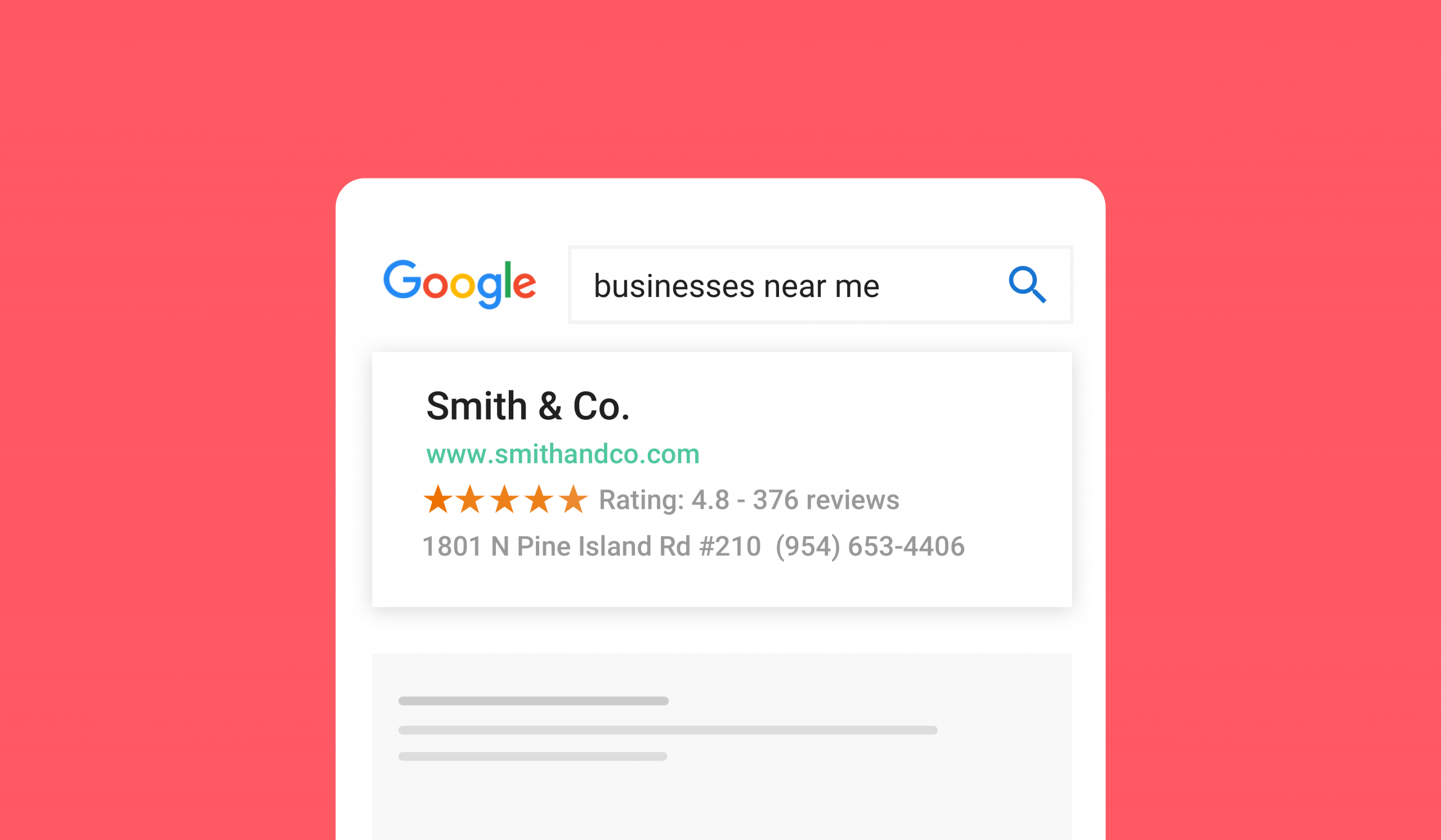
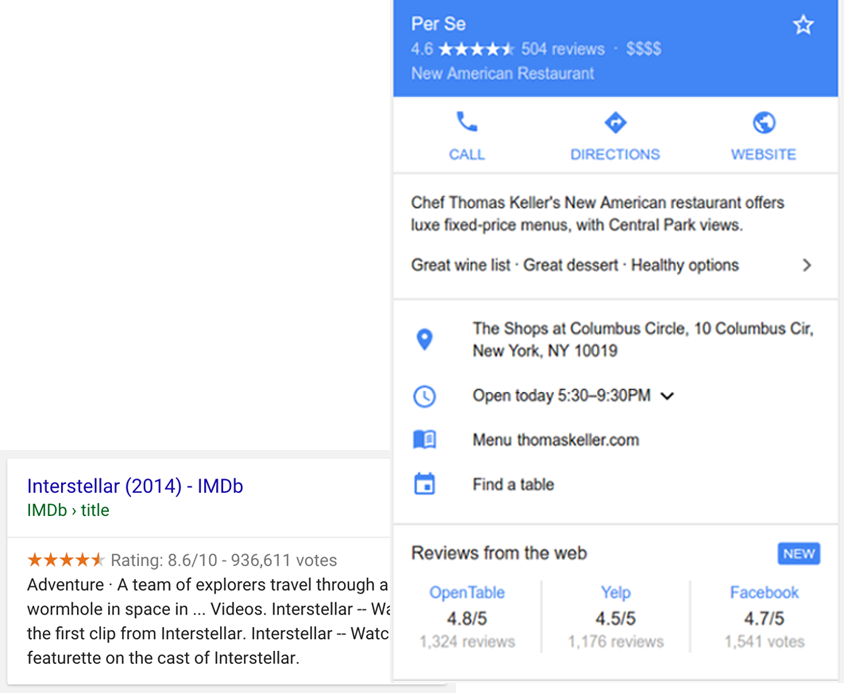
In 2026, search engines don’t just read your website — they aim to truly understand it. Schema markup, also known as structured data, is the behind-the-scenes code that tells Google, Bing, and emerging AI-powered search systems exactly what your content means. It’s the difference between a plain blue link in search results and a rich snippet that features star ratings, FAQs, prices, or event dates.
Whether you run a blog, e-commerce store, local business site, or recipe portal, implementing schema markup has become essential. Google’s 2025-2026 updates retired several underused schema types (including Course Info, Claim Review, and SpecialAnnouncement), pushing marketers to focus on high-value, accurate markup. The result? Pages with proper structured data often see 20-40% higher click-through rates and better visibility in AI Overviews and traditional SERPs.
This guide explains what schema markup is, why it matters more than ever in 2026, the key types to use, and exactly how to generate and add it — even if you’re not a developer. By the end, you’ll be able to create and deploy professional JSON-LD schema confidently.
What Is Schema Markup and Why Does It Matter in 2026?
Schema markup is a standardized vocabulary (from schema.org) that you add to your HTML to help search engines understand your content’s context and relationships. The most common format is JSON-LD (JavaScript Object Notation for Linked Data), which Google strongly recommends because it’s clean, separate from your visible HTML, and easy to maintain.
Think of it as giving search engines a detailed, machine-readable summary of your page. Without schema, Google guesses. With schema, you tell it directly: “This is a product with price $49.99, 127 reviews averaging 4.7 stars.”
Why It’s Critical Now
- Rich snippets and enhanced visibility: Star ratings, FAQ accordions, recipe cooking times, and event details make your result stand out.
- AI search readiness: Modern AI systems (like Google’s AI Overviews) rely heavily on structured data to extract and cite information accurately.
- Better indexing and entity understanding: Schema helps build your site’s presence in the Knowledge Graph.
- Higher CTR: Studies consistently show double-digit lifts when rich results appear.
- Post-deprecation focus: With Google streamlining features in January 2026, only accurate, relevant schema delivers results.
For beginners, the easiest entry point is using a reliable schema markup generator that creates valid JSON-LD code tailored to your page type without requiring coding skills.
Types of Schema Markup
Not all schema is equal. Focus on these evergreen types that remain fully supported and impactful in 2026:
- Article / BlogPosting / NewsArticle: Perfect for blog posts and content sites. Includes headline, author, publish date, and image.
- Product: Essential for e-commerce. Add offers, price, availability, reviews, and aggregate ratings.
- FAQPage: Displays expandable questions in search. Use only for genuine FAQs (Google limits eligibility for some sites).
- Review / AggregateRating: Builds trust with star ratings. Can be nested inside Product, LocalBusiness, or Recipe.
- LocalBusiness / Organization: Critical for local SEO. Include address, opening hours, phone, geo coordinates, and sameAs links to social profiles.
- Event: Shows dates, location, and tickets for webinars, conferences, or in-person gatherings.
- Recipe: Displays cooking time, ingredients, calories, and ratings — huge for food sites.
- VideoObject: Helps video content appear in video carousels with duration and thumbnail.
- BreadcrumbList: Improves navigation display in SERPs.
- Person: Strengthens authorship signals, especially useful alongside Article schema.
When to use which? Match the schema to the primary purpose of the page. A product page needs Product + Review + Offer. A how-to article benefits from Article + HowTo.
How to Generate Schema Markup
Generating accurate schema no longer requires writing code from scratch. Here’s the practical 2026 workflow:
- Identify the page type — Is it a product, blog post, local business listing, or recipe?
- Gather required data — Headline, author name, dates, prices, addresses, ratings, images (with URLs), etc.
- Choose your method:
- Manual JSON-LD (advanced)
- WordPress plugins (Rank Math, Schema Package, Yoast)
- Dedicated schema markup generator tools for quick, error-free results
A good schema markup generator walks you through fields specific to each type, validates required properties, and outputs clean, copy-paste-ready JSON-LD. This approach saves hours and prevents syntax errors that could invalidate your markup.
Practical JSON-LD Examples
Example 1: Article Schema (Blog Post)
{
  "@context": "https://schema.org",
  "@type": "Article",
  "headline": "How to Use a Schema Markup Generator in 2026",
  "author": {
    "@type": "Person",
    "name": "Your Name"
  },
  "datePublished": "2026-02-26",
  "image": "https://yoursite.com/image.jpg",
  "publisher": {
    "@type": "Organization",
    "name": "Your Site Name",
    "logo": {
      "@type": "ImageObject",
      "url": "https://yoursite.com/logo.png"
    }
  }
}
Example 2: Local Business Schema
{
  "@context": "https://schema.org",
  "@type": "LocalBusiness",
  "name": "Your Coffee Shop",
  "address": {
    "@type": "PostalAddress",
    "streetAddress": "123 Main St",
    "addressLocality": "Bahawalpur",
    "addressRegion": "Punjab",
    "postalCode": "63100",
    "addressCountry": "PK"
  },
  "openingHoursSpecification": [
    {
      "@type": "OpeningHoursSpecification",
      "dayOfWeek": ["Monday", "Tuesday", "Wednesday", "Thursday", "Friday"],
      "opens": "09:00",
      "closes": "18:00"
    }
  ],
  "priceRange": "$$",
  "telephone": "+923001234567"
}
Example 3: Product Schema with Review
{
  "@context": "https://schema.org",
  "@type": "Product",
  "name": "Wireless Headphones",
  "offers": {
    "@type": "Offer",
    "price": "89.99",
    "priceCurrency": "USD",
    "availability": "https://schema.org/InStock"
  },
  "aggregateRating": {
    "@type": "AggregateRating",
    "ratingValue": "4.8",
    "reviewCount": "342"
  }
}
Many professionals start with a structured data generator to produce these examples instantly and then customize them.

How to Implement Schema in WordPress and Other Websites
For WordPress Sites
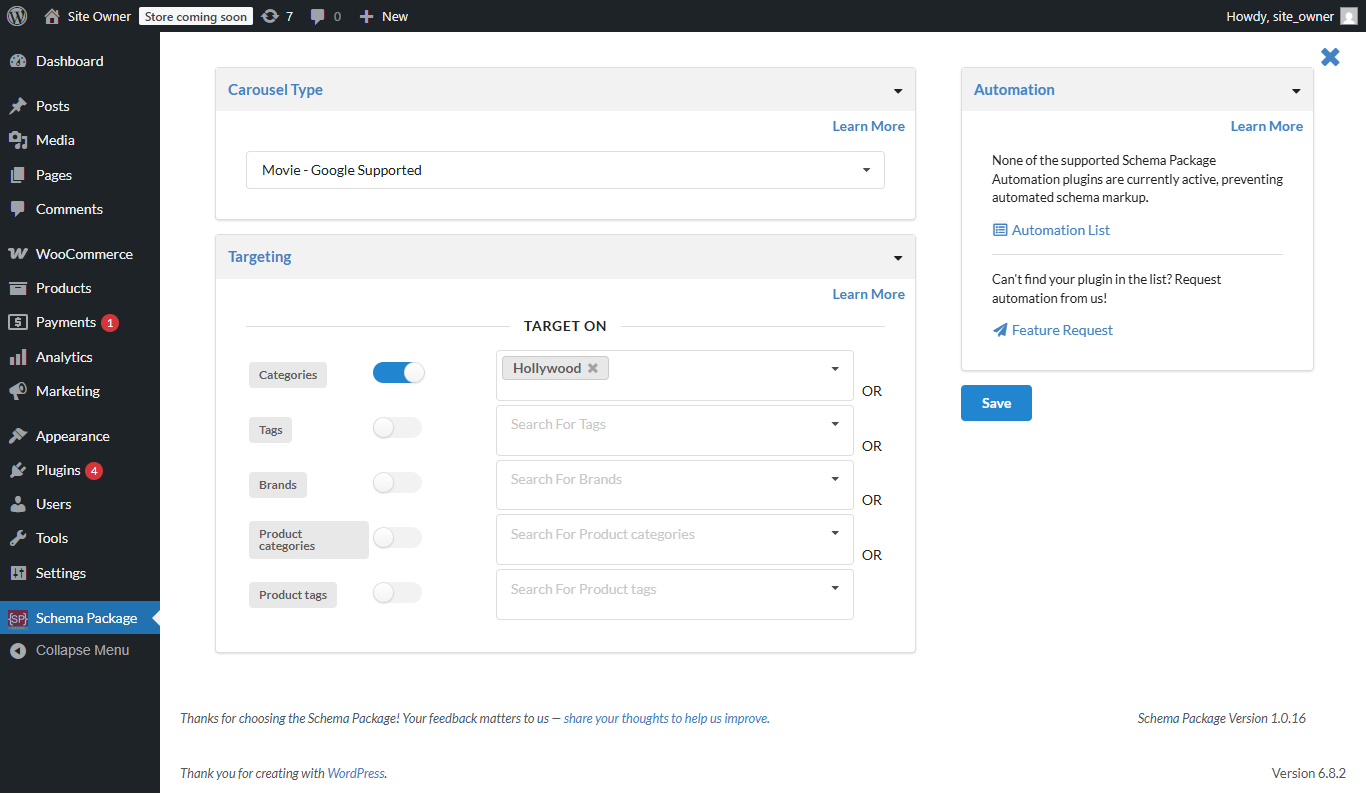
- Plugins: Rank Math, Schema Package, or Yoast SEO offer built-in generators. Enable the schema module, select default types per post type, and fill in details.
- Manual: Paste JSON-LD in the header via a plugin like Insert Headers and Footers or directly in the theme’s header.php (child theme recommended).
- Page-specific: Most plugins allow custom schema per post or page.
For Custom or Non-WordPress Sites
Add the <script type=”application/ld+json”> block in the <head> or before </body>. Use Google Tag Manager for dynamic or site-wide markup.
Pro Tip: For multi-location businesses or large sites, use a schema markup generator to create consistent code across hundreds of pages.
Benefits of Schema for SEO in 2026
- Rich results eligibility — Stand out with visuals that increase CTR dramatically.
- Improved AI visibility — Structured data helps your content get cited accurately in AI summaries.
- Faster indexing — Clear signals help crawlers understand and prioritize content.
- Competitive edge — Many sites still skip schema; those who implement it correctly win more clicks.
- Local SEO boost — LocalBusiness schema powers Knowledge Panel and map pack features.
- E-commerce advantages — Product schema enables merchant listings and price displays.
Common Mistakes to Avoid
- Using deprecated types (check Google’s latest guidelines).
- Marking up content that doesn’t exist on the page (spammy behavior).
- Syntax errors in JSON-LD — one missing comma breaks everything.
- Overstuffing irrelevant properties.
- Forgetting to update schema when content changes.
- Duplicate or conflicting schema from multiple plugins.
Pro Tips & Advanced Strategies
- Nest schemas — Combine Article + Author + Organization for stronger entity signals.
- Always validate — Use Google’s Rich Results Test before publishing.
- Keep it accurate — Only use real data visible to users.
- Mobile-first — Ensure schema supports responsive elements.
- Monitor performance — Check Search Console for rich result impressions.
- Combine with other SEO — Pair schema with strong on-page optimization and E-E-A-T signals.
For complex pages or when managing multiple types, a dedicated schema markup generator can help maintain consistency and catch issues early.

FAQs
What is schema markup? Schema markup is structured data code (usually JSON-LD) added to webpages to help search engines understand content context and display rich results.
How do I add schema to WordPress? Use an SEO plugin like Rank Math or Schema Package, or manually add JSON-LD via a header/footer plugin. A schema markup generator makes the code creation simple.
What is JSON-LD? JSON-LD is Google’s recommended format for schema markup. It’s a lightweight script you place in your HTML that search engines read without affecting page appearance.
How does schema improve SEO? It enables rich snippets, increases click-through rates, improves content understanding for AI search, and strengthens entity signals for better rankings.
Is a schema markup generator free to use? Many quality tools offer free versions sufficient for most sites. Paid plans unlock advanced features for larger websites.
Do I need schema for every page? No. Prioritize high-traffic or conversion-focused pages first — blog posts, products, local pages, and FAQs deliver the biggest impact.
How often should I update schema markup? Update whenever page content changes (new prices, dates, reviews). Regular audits every 3-6 months keep everything accurate.
Conclusion
Schema markup is no longer optional in 2026 — it’s a core part of modern SEO that directly influences visibility, clicks, and AI-powered discovery. By understanding the supported types, generating clean JSON-LD, implementing it correctly, and validating every step, you give your content the best chance to shine in search results.
Start small: pick one page type, generate proper structured data, test it, and measure the difference. Over time, consistent use of schema across your site builds stronger signals that search engines reward.
You can easily create structured data for your site using the Schema Markup Generator at https://therightscoop.net/schema-markup-generator/ for a quick and accurate start.
Leave a Reply